

Table of Contents
- Introduction (ELEMENT in ANSYS APDL | Complete Guide to Choosing the Right Element)
- Why Do We Need Elements in ANSYS APDL?
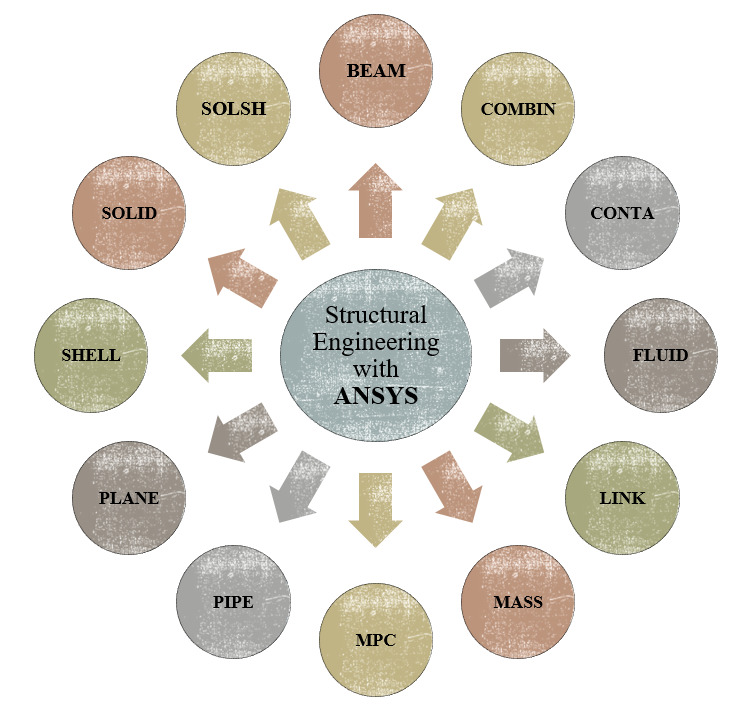
- Understanding the ANSYS Element Library
- ANSYS Element Families
- How to Choose the Right Element (ELEMENT in ANSYS APDL | Complete Guide to Choosing the Right Element)
- Beam Elements
- Column Elements
- Brace Elements
- Concrete Elements
- Soil Elements
- Brick Elements
- Rebar Elements
- Water Elements
- Defining Element Types
- Deleting and Modifying Element Types
- Real Constants
- Beam Sections
- Practical Example: Modeling a Cantilever Beam
- Comparison of Beam, PLANE and SOLID Elements
- Common Mistakes When Choosing Elements
- Frequently Asked Questions
- Conclusion
Product Description
ELEMENT in ANSYS APDL | Complete Guide to Choosing the Right Element
Selecting the correct element type is one of the most important steps in finite element modeling. Even if your geometry, material properties, boundary conditions, and loading are completely correct, choosing an inappropriate element may produce inaccurate results.
This comprehensive tutorial explains the philosophy behind element selection in ANSYS APDL and teaches you how to confidently select the appropriate element for different engineering applications.
Unlike many introductory courses that only introduce several element names, this tutorial explains why each element exists, when it should be used, and how incorrect element selection affects the accuracy of structural analysis.
(ELEMENT in ANSYS APDL | Complete Guide to Choosing the Right Element)
Whether you are a beginner or an experienced engineer, understanding the ANSYS Element Library will significantly improve the quality of your finite element models.
What You Will Learn
After completing this course you will be able to:
- ✔ Understand the purpose of finite elements in numerical simulations
- ✔ Learn how the ANSYS Element Library is organized
- ✔ Understand different ANSYS Element Families
- ✔ Select the correct element for different engineering structures
- ✔ Define, modify and delete Element Types
- ✔ Work with Real Constants
- ✔ Define Beam Sections
- ✔ Model beam, shell and solid structures correctly
- ✔ Compare different element formulations
- ✔ Avoid common mistakes in finite element modeling
This Tutorial Covers
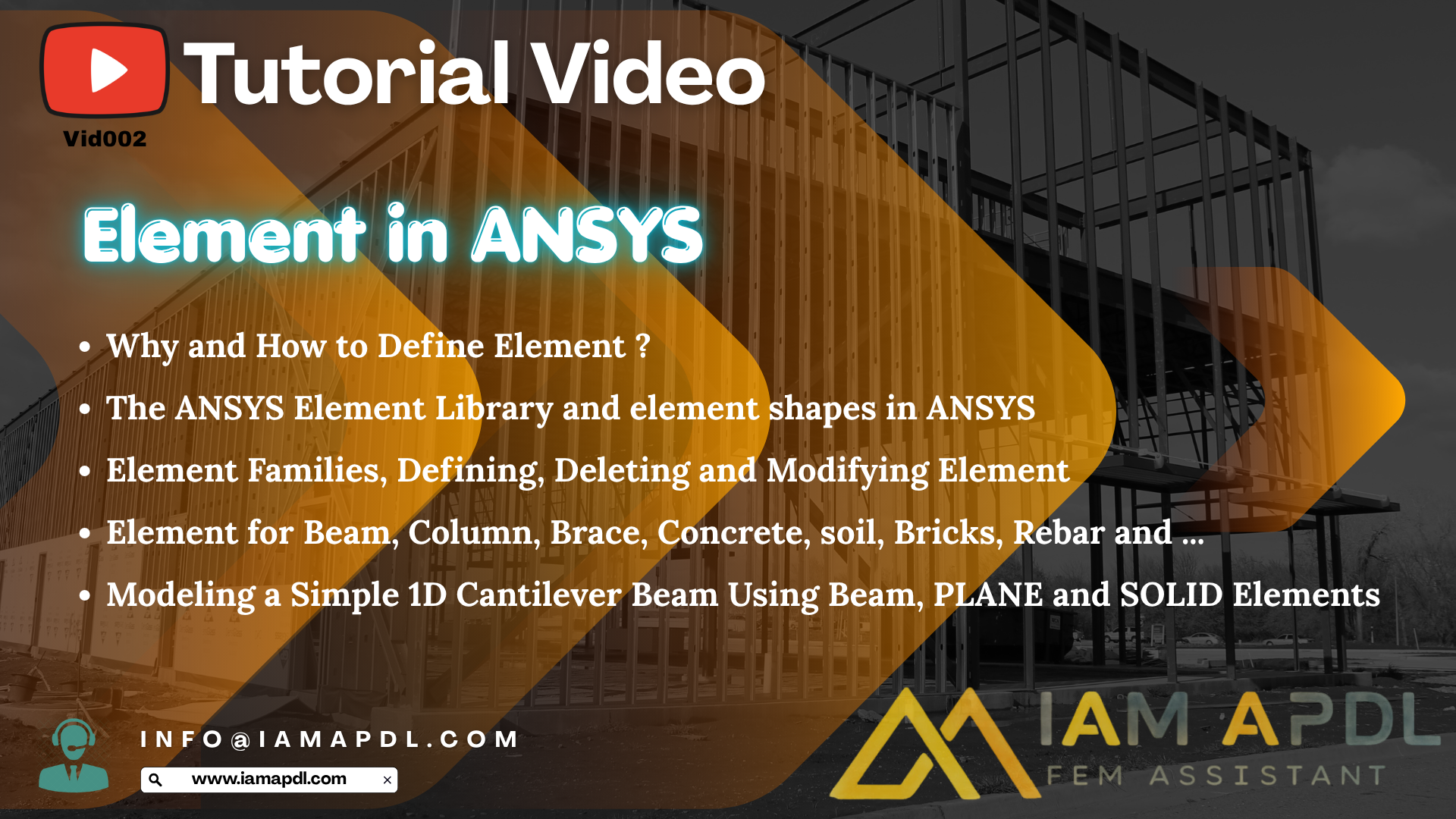
- Why and How to Define Elements According to the Purpose of Modeling
- The Complete ANSYS Element Library
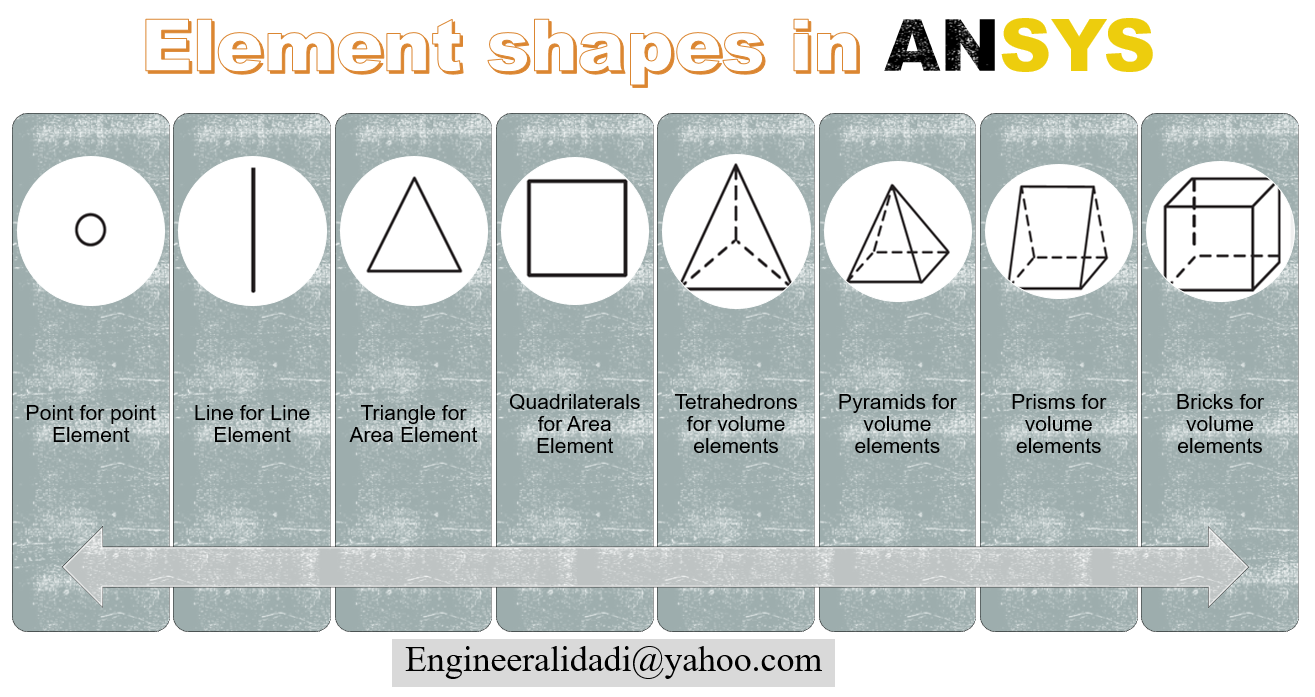
- Understanding Element Shapes
- ANSYS Element Families
- Beam Elements
- Column Elements
- Brace Elements
- Concrete Elements
- Soil Elements
- Brick Elements
- Rebar Elements
- Water Elements
- Defining Element Types
- Deleting Element Types
- Modifying Element Types
- Real Constants
- Beam Sections
- Practical Modeling Example
- Modeling a Cantilever Beam
- Comparison of Beam, PLANE and SOLID Elements
Why Is Element Selection Important?
Many engineers assume that all finite elements produce similar results. In reality, each element is developed for a specific engineering purpose.
(ELEMENT in ANSYS APDL | Complete Guide to Choosing the Right Element)
For example:
- Beam elements are ideal for slender structural members.
- Shell elements are suitable for thin plates and shells.
- Solid elements provide three-dimensional stress distribution.
- Link elements are appropriate for truss members and reinforcement bars.
Selecting the correct element significantly reduces modeling time while improving both computational efficiency and result accuracy.
Practical Engineering Example
One of the highlights of this course is modeling the same cantilever beam using three different modeling techniques:
- Beam Elements
- PLANE Elements
- SOLID Elements
You will clearly understand:
- Differences in modeling procedures
- Computational cost
- Accuracy of each approach
- Advantages and disadvantages of each element formulation
This comparison helps engineers choose the most appropriate modeling strategy for real engineering projects.
Who Should Watch This Course?
This course is recommended for:
- Civil Engineers
- Structural Engineers
- Mechanical Engineers
- Earthquake Engineers
- Geotechnical Engineers
- Finite Element Analysts
- Graduate Students
- PhD Researchers
- Engineers learning ANSYS APDL
Frequently Asked Questions
Which ANSYS element should I choose?
The answer depends on your structural model, geometry, expected behavior, and required level of accuracy. This course explains how to make the correct decision.
Is this course suitable for beginners?
Yes. Every concept is explained from basic principles before moving toward practical engineering applications.
Do I need previous ANSYS experience?
Basic familiarity with ANSYS APDL is helpful but not required.
Does the course include practical examples?
Yes. A complete cantilever beam example is modeled using Beam, PLANE, and SOLID elements.
Will I learn Real Constants and Beam Sections?
Absolutely. Both topics are explained with practical engineering examples.
Conclusion
Understanding finite elements is one of the foundations of successful finite element analysis. Choosing the correct element not only improves the accuracy of your simulation but also reduces computational time and modeling complexity.
(ELEMENT in ANSYS APDL | Complete Guide to Choosing the Right Element)
This tutorial provides a complete engineering-oriented explanation of the ANSYS Element Library, element selection principles, practical modeling techniques, and real-world examples, making it an essential course for every ANSYS APDL user.
🎥 Free Preview Available
A free preview of this tutorial is available on our YouTube channel.
Watch it here: